

An exciting optimization in Clarity release 16.3.2 is the frictionless cost accounting. Thanks to a new aggregation type toggle on the cost plan properties, actuals roll up including all children in the grid. This reduces manual effort and ensures greater transparency in planning and analysis.
2 min read
The new release 16.3.2 offers significant improvements for working with Clarity, benefiting users, projectProjectA project is a temporary initiative with clearly defined objectives, resources, and a specific outcome. teams, and administrators alike. Enjoy numerous improvements in project managementProject ManagementProject management includes all methods used to plan, manage and execute projects., resource planningResource PlanningResource planning describes the planning and allocation of human and material resources across projects., reporting, artificial intelligence, and more.
1. Expanding to Projects and Products
2. Lifecycle and Workflow Management
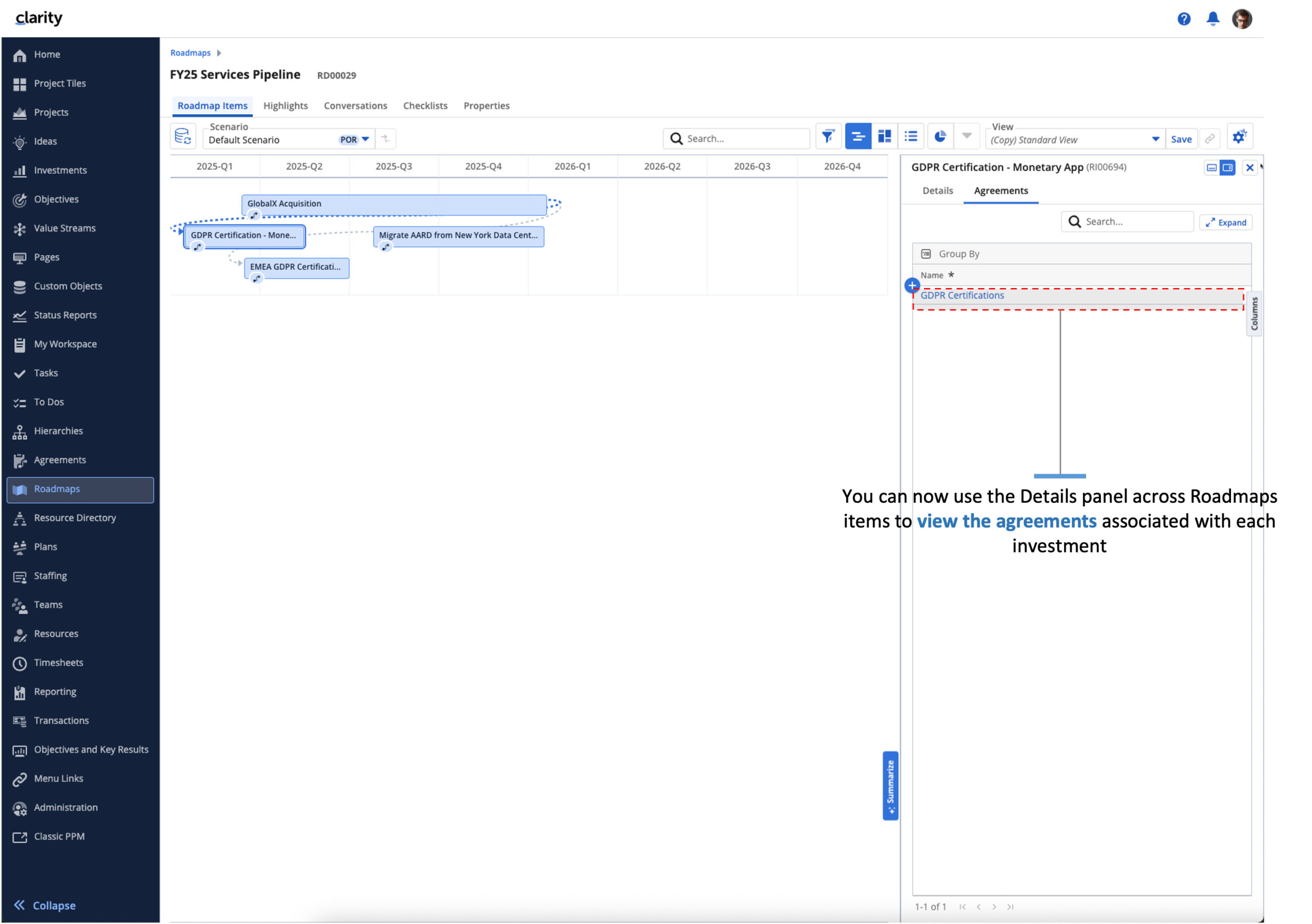
This release significantly expands and facilitates the management of agreements:
- End users can display agreements as lines or icons in the timeline view within the RoadmapsRoadmapA roadmap is a strategic overview of projects, milestones and objectives over a defined period of time..
- Administrators can configure sub-objects on agreements.
- Now, agreements can be integrated into business rules and processes, such as for action items or notifications..
- Agreements are now available from the Investment details flyout in Hierarchies and Roadmaps.
3. People-Centric Planning
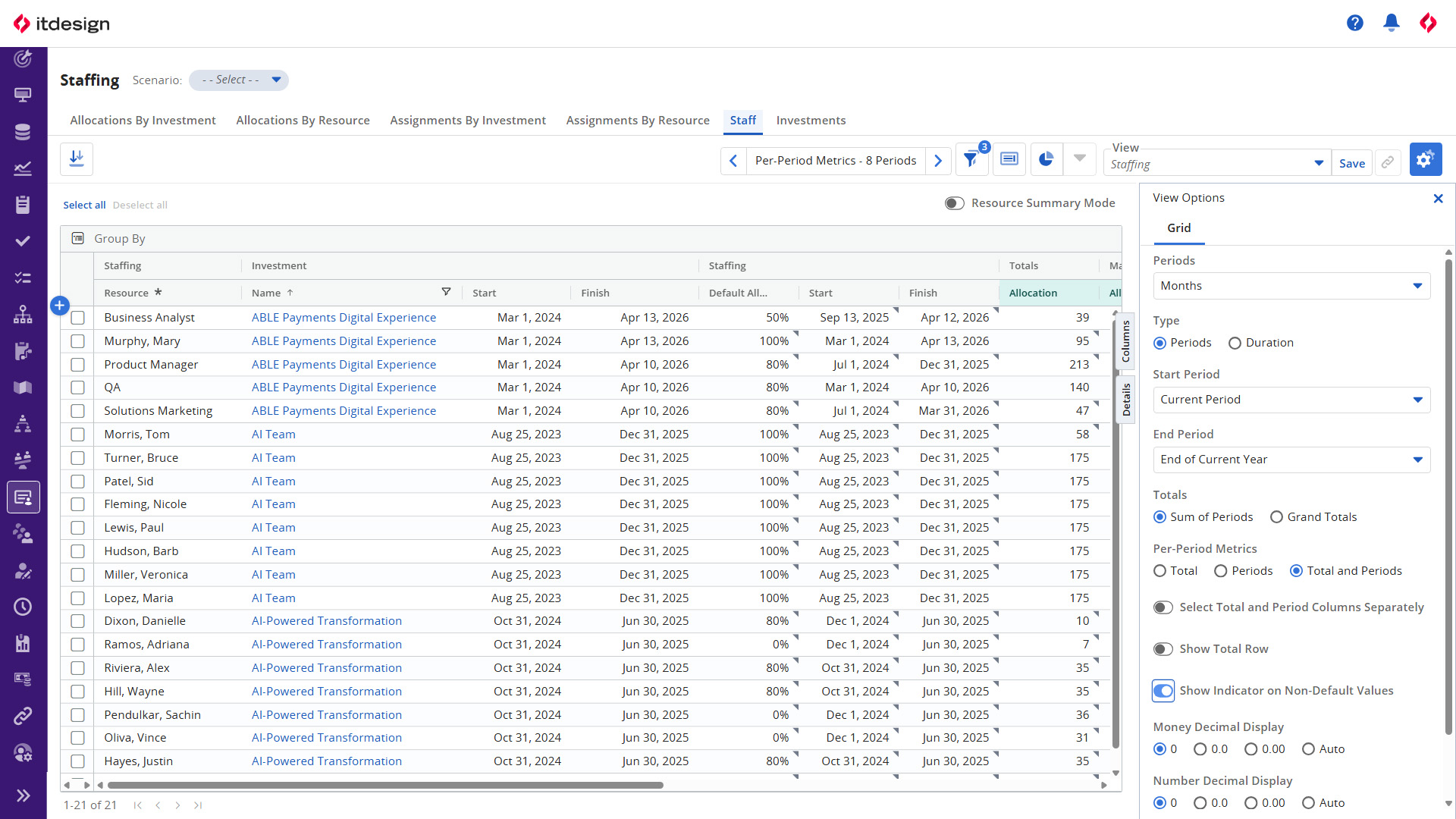
In Clarity release 16.3.2, the Staffing workspace was expanded to support more targeted resource planningResource PlanningResource planning describes the planning and allocation of human and material resources across projects.:
- The new "resource summary" mode offers additional visualizations for optimized resource managementResource ManagementResource management includes the planning, allocation and monitoring of resources in projects..
- Additional Staffing actions allow for the targeted reallocation or replacement of staff – whether for the total allocationAllocationAllocation in project management refers to the deliberate assignment of resources to projects or individual tasks. or for a partial date range.
- Visual indicators and filters make it easy to spot changes to default allocations and dates.
4. Artificial Intelligence in Clarity
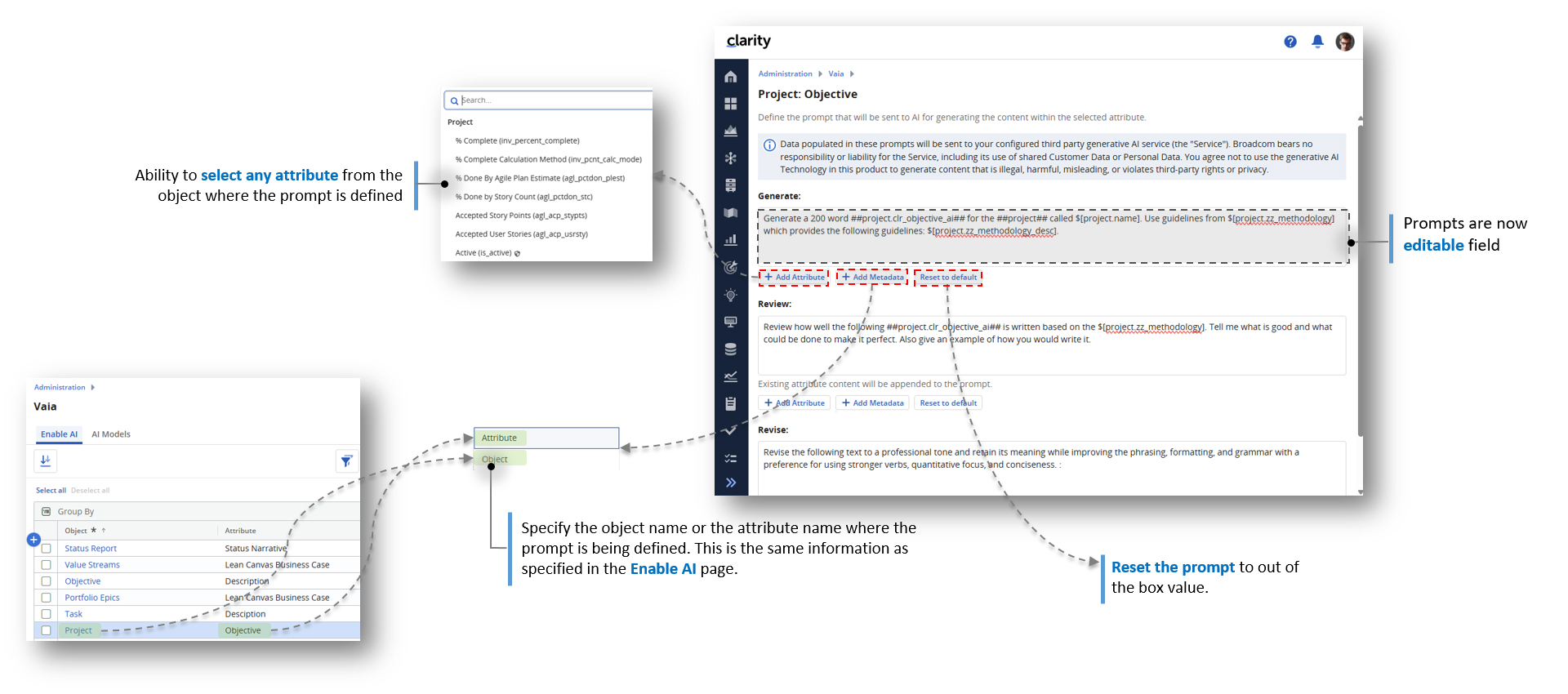
Vaia, Clarity’s artificial intelligence, opens up new possibilities. Now, users can manage their own prompts for existing AI functionalities. This is another step toward providing flexible, proactive support for everyday projectProjectA project is a temporary initiative with clearly defined objectives, resources, and a specific outcome. work.
5. Business Intelligence and Reporting (BETA)
The improved Reporting workspace represents a significant advancement in future-oriented reporting. These functions help you keep track of all the important key figures when and how you need them!
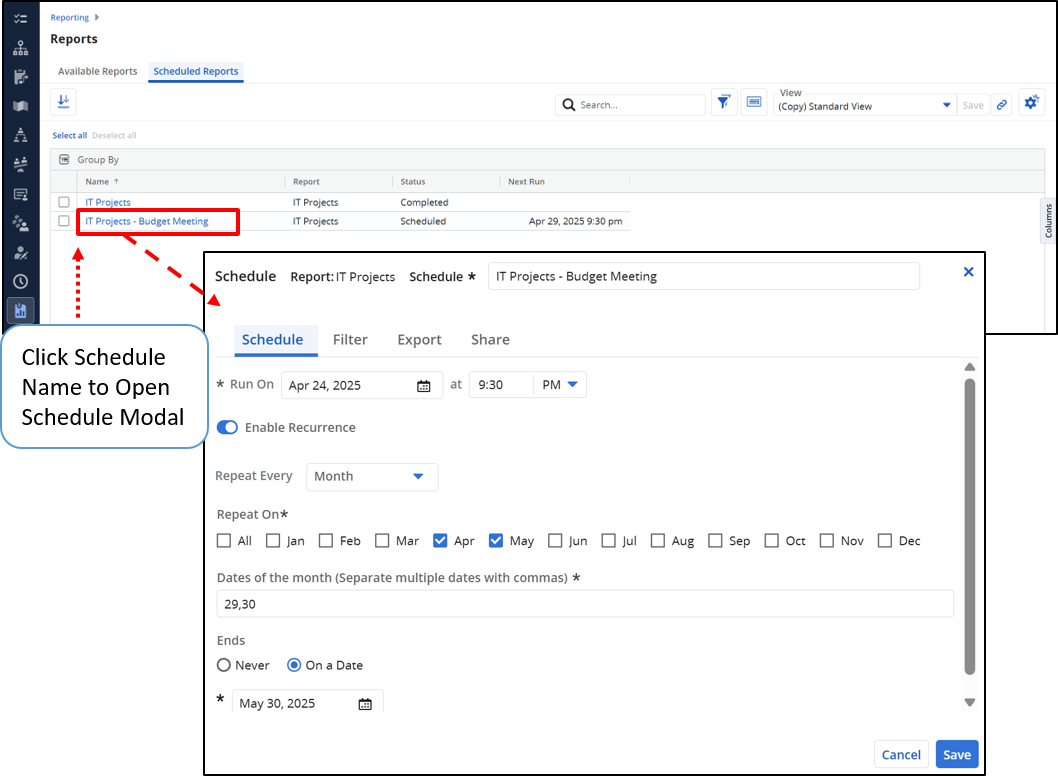
Report Viewer
- The end user can schedule one or more reports for delivery.
- A report, including all or individual report tabs, can be exported in PowerPoint format.
Report Designer
- The now available preview mode allows direct control of report layouts.
- Tab-level filters can be configured and displayed in the Report Viewer.
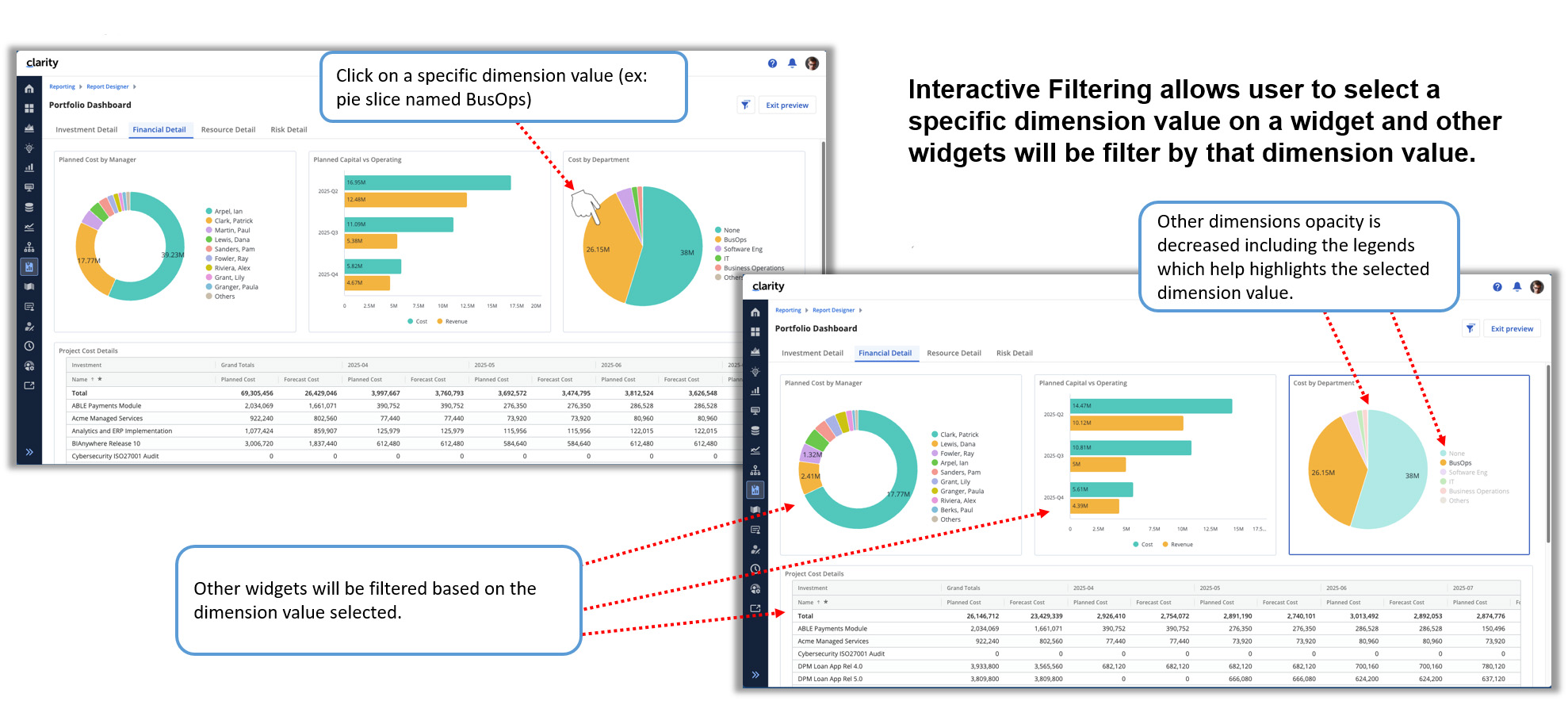
- Thanks to interactive filtering, selecting a bar chart element or pie chart slice dynamically affects other widgets and tables.
Data Provider and Data Warehouse (DWH)
Data Provider queries can now access and browse the DWH schema. Additionally, the “decimal display options” settings are now respected for queries containing metrics. The option to refresh the DWH instantaneously has been optimized further for MS SQL server.
6. Innovations as a Result of the Customer Voice
Based on user feedback, Broadcom has once again implemented many effective improvements:
- Links in Clarity can be opened in a new browser or window via the context menu by right-clicking.
- Users can navigate directly to the booked actuals by clicking on the totals row within a cost plan and budget.
- If required, blank timesheets can now also be submitted.
- Users can manually sort grid items of custom (master) objects and sub-objects using drag-and-drop. The ranking value will be adjusted automatically.
- The global search function helps you quickly find relevant information within the system. (BETA)
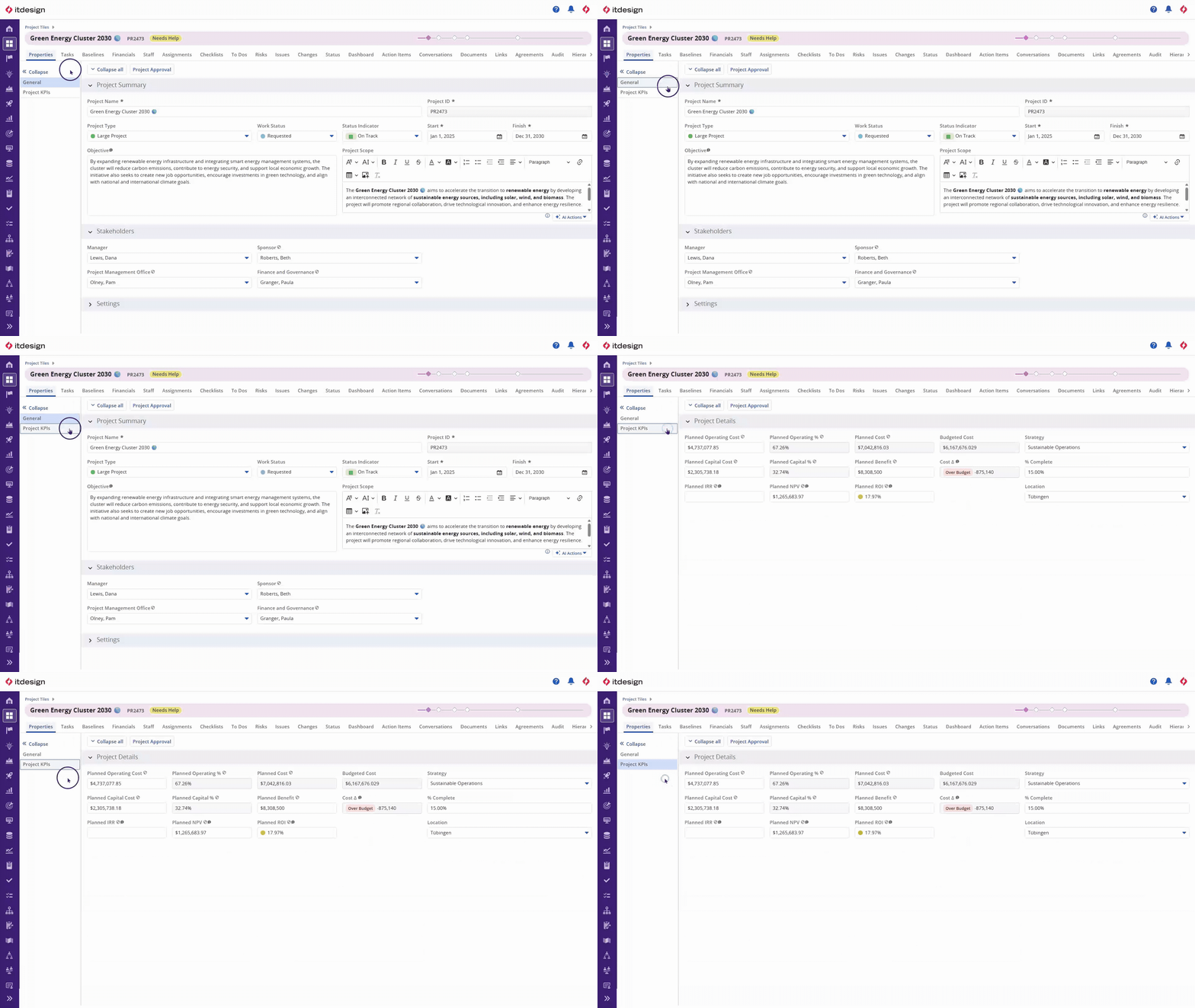
- Admins can now define and configure Blueprint sub-tabs to further organize the attributes on the Properties module.
Hint on BETA Features
Software manufacturer Broadcom points out that BETA features may contain bugs, errors, and/or other issues. Therefore, the smooth operation and the general availabilityAvailabilityAvailability describes the capacity of a resource that is available for projects or tasks. of BETA features cannot be guaranteed at this point in time.
Additional Informationen
Get Your Upgrade Now!
As the largest Brodacom partner in Europe, we would be happy to give you a personal demonstration of the features of new Clarity release as they relate to your specific application and provide you with the latest version.

Read Next
Kathrin Klenk
Marketing Manager

Kathrin is our expert for communication and search engine marketing. She loves trying out new ideas and appreciates the creative exchange within the team. ...

Clarity Release 16.4.1: All Release Highlights at a Glance
Smarter workflows with AI Agents, improved reporting for deeper insights, and many more exciting features await you in Clarity release 16.4.1.

Clarity Release 16.4.0: These Features Will Move You Forward!
More efficient processes thanks to AI agents, improved data analysis through reporting enhancements, and many other highlights await you in Clarity release 16.4.0.
