

Clarity 16.4.3 introduces numerous enhancements for day-to-day work in project, portfolio, and resource management. The focus is on new AI capabilities, expanded options for strategic portfolio management, and improvements in reporting and data preparation. At the same time, many features have been refined based on customer feedback to make common workflows even more convenient.
1. Innovations as a Result of the Customer Voice
Many of the changes in this release are based directly on customer requests. They simplify everyday workflows and make relevant information available more quickly. Users who regularly work with schedules, resource planning, and progress tracking will particularly benefit from these enhancements.
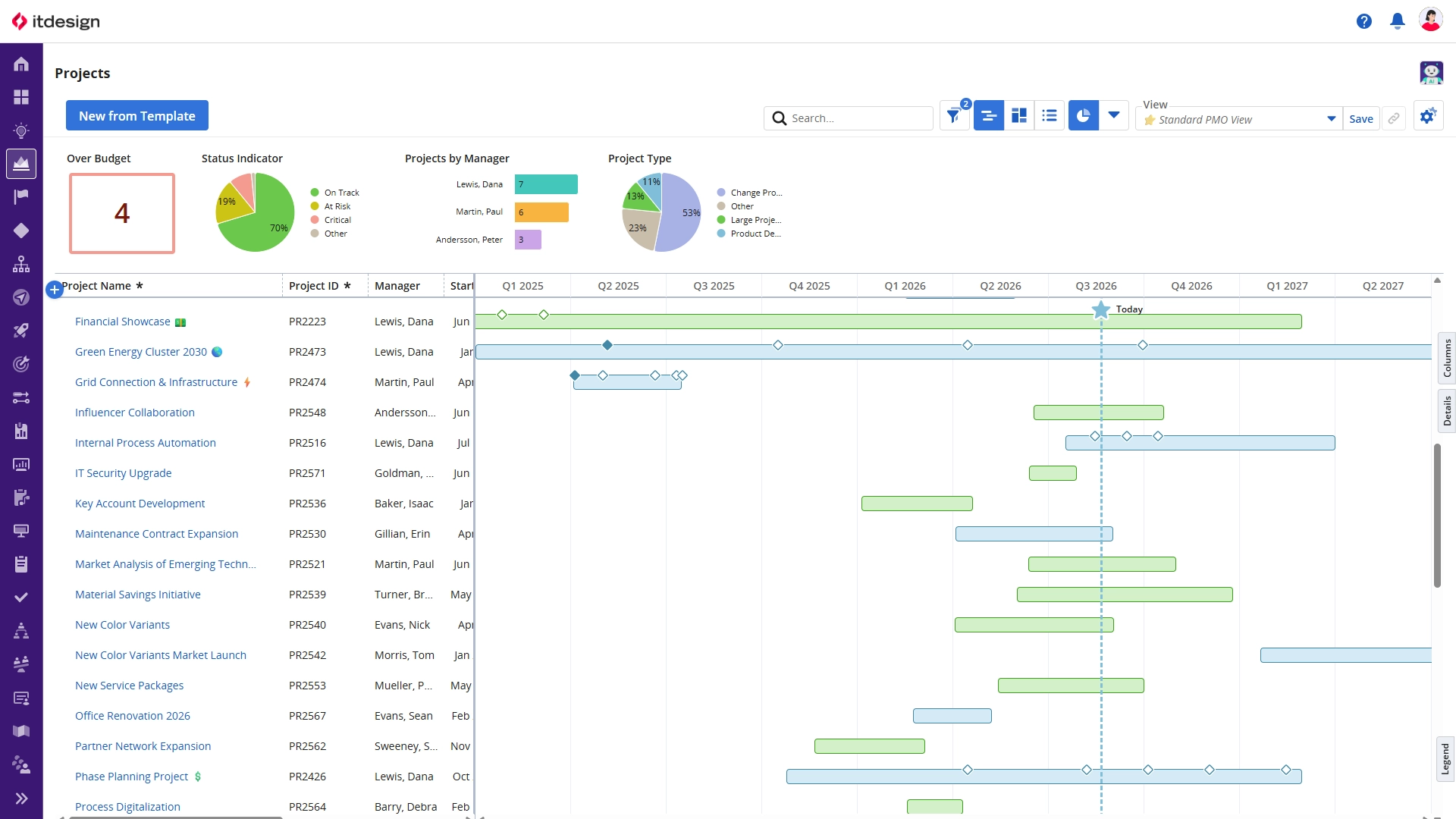
- “Show Today” option in timeline layouts for faster time-based orientation
- New progress ring widget with two-stage filtering for more precise visualization of ratios and key metrics
- Introduction of channels in the Staffing workspace allows greater flexibility when creating relevant views
2. Artificial Intelligence in Clarity
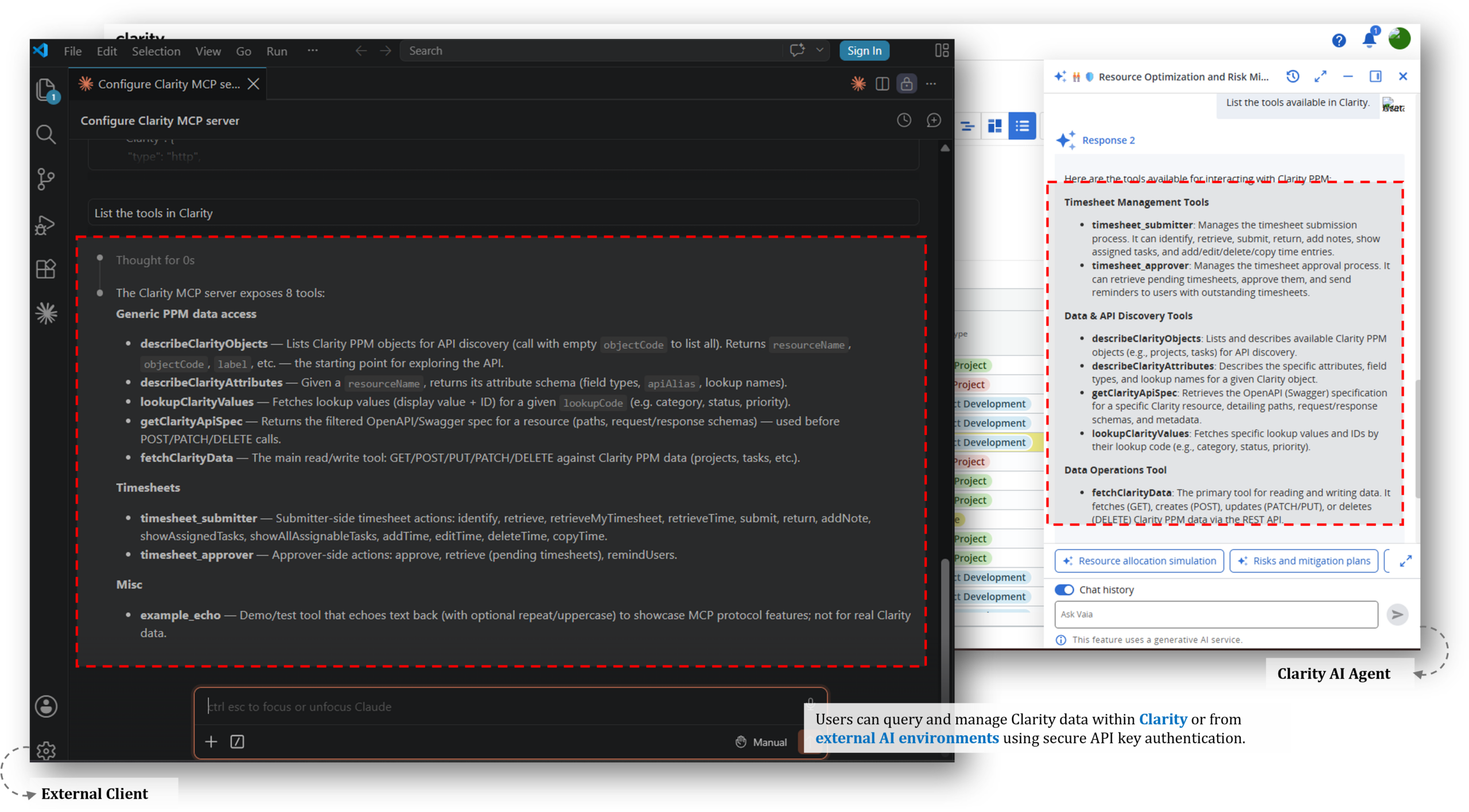
With this release, Clarity expands the possibilities for AI-supported processes. AI can be integrated more effectively into existing workflows and gain access to relevant Clarity data. This makes information available more quickly and provides better support for repetitive tasks.
- Read, create, and update Clarity content using the MCP server, and enable MCP tools within Clarity AI agents
- Define AI agents for Staffing and Pages workspaces as well as for subobjects
- Define the current saved view as a data source for AI agents and pass user context, such as language settings or date formats, to AI agents for more relevant results
3. Strategic Portfolio Management
The enhancements in this area strengthen the connection between strategic and operational planning information. You gain greater flexibility in portfolio structures, cost planning, and financial data adjustments. This simplifies the management of complex investments and programs.
- Create a linked hierarchy using actions and blueprints and view them via direct links
- Improved scheduler frequency supports minute-level synchronization intervals for hierarchies and roadmaps
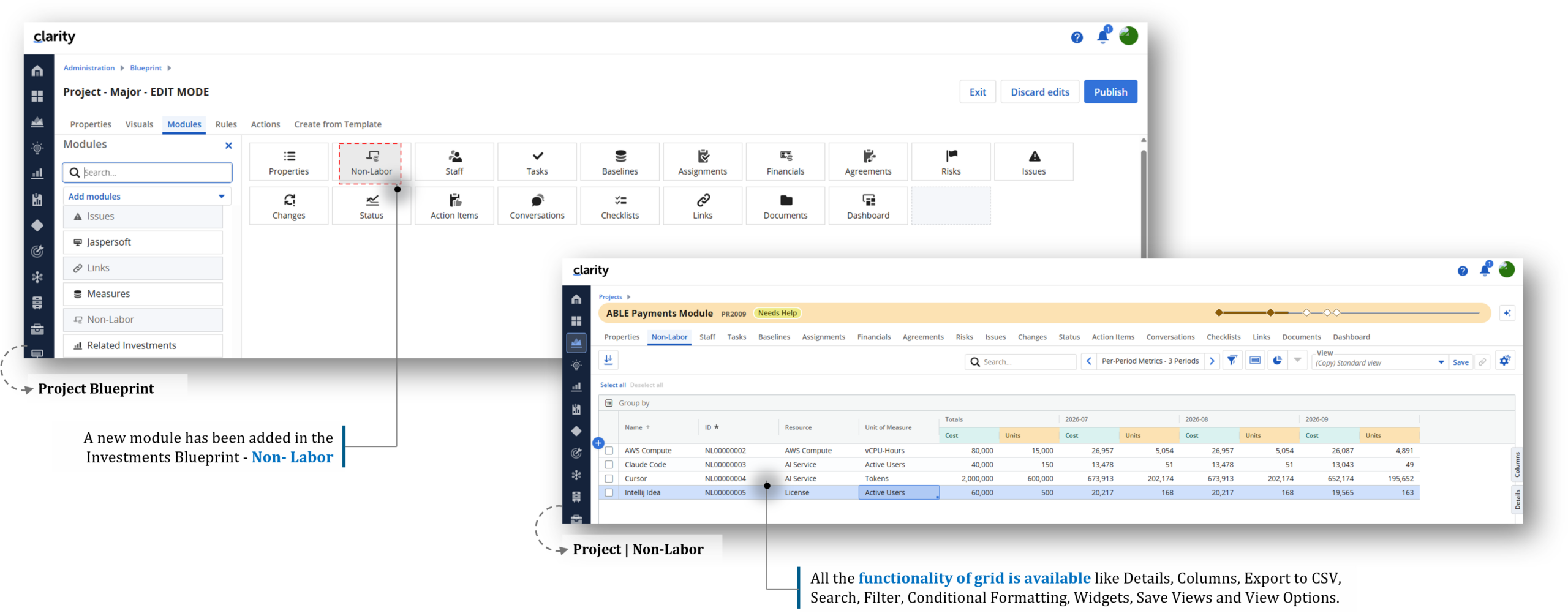
- New non-labor cost module and ability to populate cost plans including unit of measure within investments
- Perform transaction adjustments directly in Clarity
4. Foundations for Future Insights and Reporting
Improvements to data preparation, reporting, and layout options provide greater flexibility when analyzing and presenting information. As a result, evaluations can be tailored more easily to individual requirements, and results can be shared more efficiently.
Data Providers
Reliable data is the foundation of sound decision-making. Enhancements to Data Providers enable more sophisticated calculations and more meaningful data models without additional manual effort.
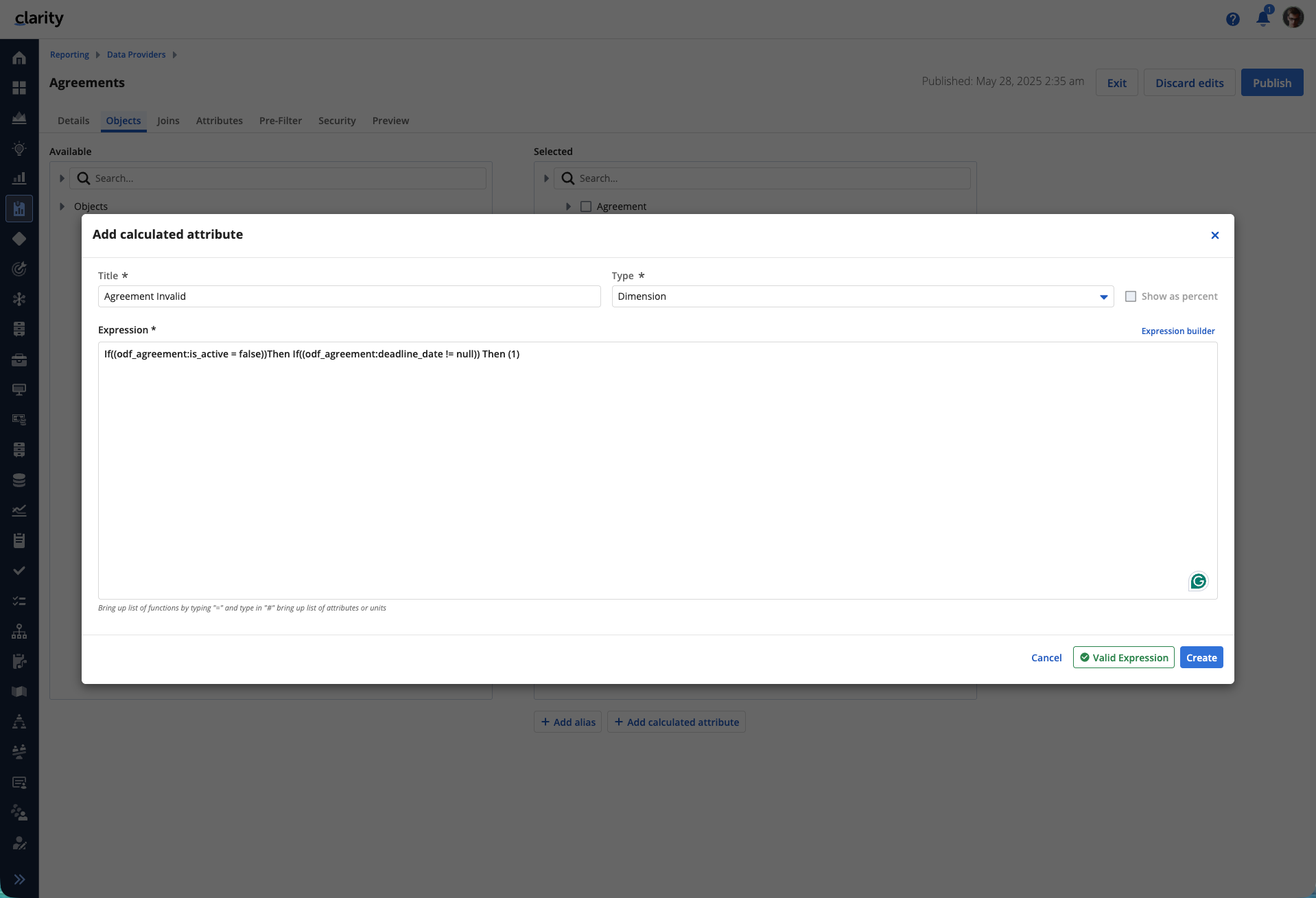
- If-then-else conditions in calculated attributes.
- Use lookup value names instead of lookup codes in concatenated string calculated attributes
Report Designer
The new capabilities in Report Designer simplify the creation and use of reports and tables. At the same time, layouts become more flexible and better suited to different use cases.
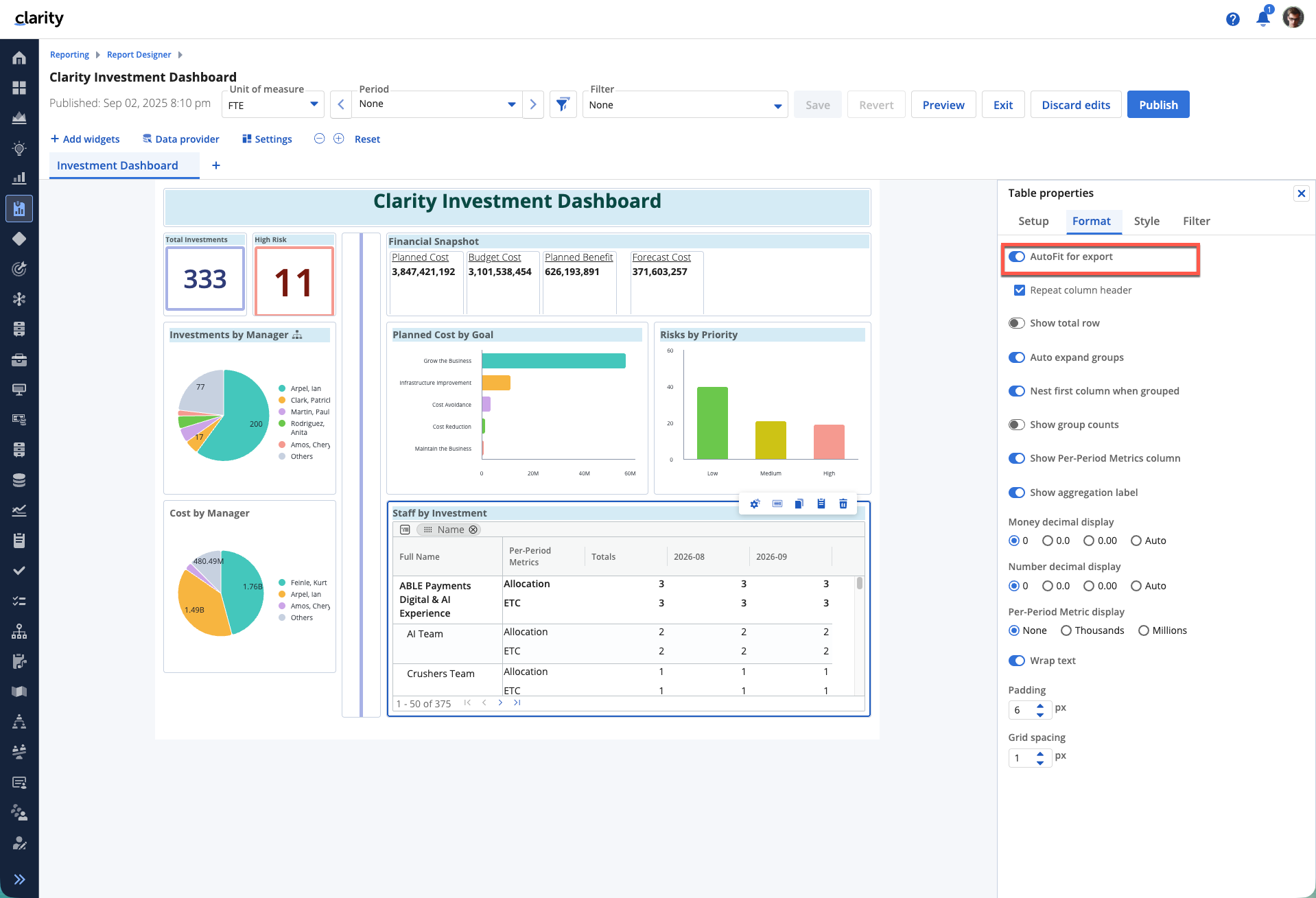
- Autofit text attributes in attribute groups for export and option to change tables to “autofit for export”
- Parameterized links passing variable in tables and attributes, along with the “add link” action on names and ID on attributes
- Separate per-period metric settings by attribute within tables
Reports
New reporting capabilities make it easier to distribute reports and provide them in multiple formats. This simplifies information sharing with different audiences.
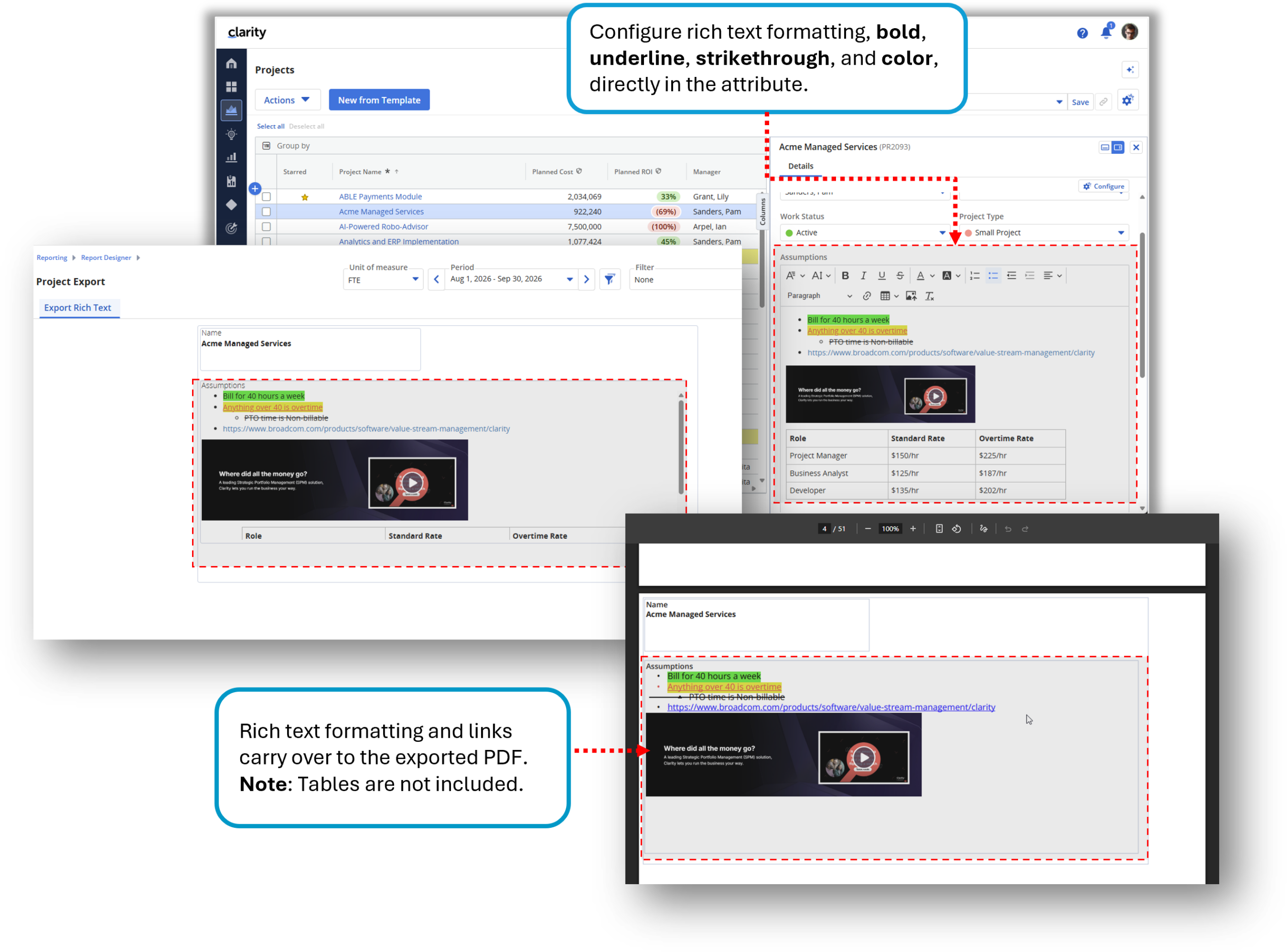
- Export expandable tree tables for OBS and rich-text formatting in attribute groups, or schedule them for export
- New XLSX layout for tables
- Schedule reports as report bursting, with content-based segmentation of a master report into tailored subreports, for example by resource attributes
Additional Information
Get Your Upgrade Now!
As the largest Brodacom partner in Europe, we would be happy to give you a personal demonstration of the features of new Clarity release as they relate to your specific application and provide you with the latest version.

Read Next


Breaking Down What’s New in Clarity Release 16.3.3
With the latest Clarity version, you gain enhanced reporting, automated processes, and new ways to plan and manage investments with confidence.

Clarity Release 16.4.0: These Features Will Move You Forward!
More efficient processes thanks to AI agents, improved data analysis through reporting enhancements, and many other highlights await you in Clarity release 16.4.0.